Door categorieën bladeren
Ontdekken
Fiverr Pro
Nederlands
$
USD

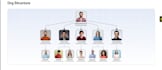
Is your team losing time searching for files across messy folders, outdated drives, and scattered email attachments? You're at the right place.
I will design and configure a clean, structured SharePoint Online environment that makes your documents, processes, and team communication easy to manage.
What I deliver:
A well-built SharePoint system becomes the digital backbone of your business one place where your team finds files, tracks documents, and collaborates without confusion.
Who this is for:
I build SharePoint environments that people actually use clean navigation, logical structure, proper permissions from day one.
Message me with your current setup I'll scope it clearly before we start.
I buld Microsoft 365 Expert, Power Automate, SharePoint, Power Apps Specialist
Talen
What is SharePoint Online and why do businesses use it?
SharePoint Online is Microsoft's cloud-based document management and collaboration platform, included with Microsoft 365. Businesses use it to store, organise, and share documents securely replacing messy shared drives and email attachments with a structured, searchable system accessible anywhere.
What is included in the SharePoint setup?
Depending on the package, the setup includes site creation, document library structure, metadata columns, filtered views, permissions and access control by team or department, navigation design, and integration with Microsoft Teams and OneDrive. Every package includes a written walkthrough document.
Do I need any technical knowledge to use SharePoint after you set it up?
No. I design SharePoint environments to be intuitive for non-technical teams. I also provide a walkthrough document (and video on Standard/Premium) so your team understands where files go and how to navigate the system from day one.
Can you migrate files from our current system into SharePoint?
Basic file migration from OneDrive, shared drives, or local folders can be included in Standard and Premium packages. For large-scale migrations (thousands of files or complex folder structures), this is scoped separately message me to discuss.
What is the difference between a SharePoint site and a document library?
A SharePoint site is a complete workspace for a team or department (like an HR site or Finance site). A document library lives inside a site and is where files are stored, organized, and shared. A single site can contain multiple libraries for different types of content.
Can you set permissions so different teams only see their own files?
Yes. Permission management is a core part of every SharePoint setup I deliver. I configure site-level and library-level permissions so each team or individual only sees what they need protecting sensitive documents and maintaining clear access control.
Will SharePoint work on mobile devices?
Yes. SharePoint Online and the Microsoft SharePoint mobile app allow your team to access files, sites, and document libraries from any smartphone or tablet with the same permissions applied as on desktop.
Can you connect SharePoint to Microsoft Teams?
Yes. SharePoint libraries integrate directly with Microsoft Teams channels. I configure Teams integration so your team can access and collaborate on SharePoint files without leaving Teams keeping documents and conversations in one place.
How is your SharePoint setup different from what IT might do internally?
Many internal IT setups focus on functionality over usability. I focus on both designing a logical structure that non-technical staff will actually adopt, with clear navigation, consistent naming conventions, and metadata that makes search and filtering fast.
What happens if we need changes after delivery?
I provide a 7-day post-delivery support window for any adjustments to what was built. For ongoing changes, additions, or new site builds, I offer flexible packages just message me and I'll provide a quick quote.