Door categorieën bladeren
Ontdekken
Fiverr Pro
Nederlands
$
USD
Python Automation en Data specialist met Excel PDF Web scraping
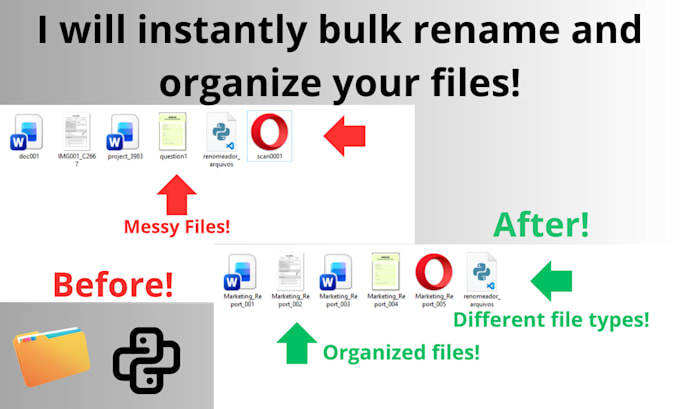
Zijn uw mappen een warboel van bestanden zoals IMG_001.jpg of Scan (Copia).pdf? Verspilt u uren aan het handmatig hernoemen van foto's, documenten of scans, één voor één?
Stop met handmatig werk. Ik ben een Python-specialist. Ik hernoem bestanden niet handmatig, maar ik maak een aangepast Python-script om honderden of duizenden bestanden tegelijk te hernoemen en te ordenen.
Mijn script kan elke gewenste regel uitvoeren, garandeert 100% nauwkeurigheid en bespaart u urenlang vervelend werk.
Hoe werkt het?
Neem contact met mij op VOORDAT u bestelt.





Apparaat:
Desktop
Besturingssysteem:
Windows
Automatische vertaling
Welke bestandsformaten kun je hernoemen?
Elk bestandsformaat! Mijn Python-script is 100% universeel. Het kan .jpg, .png, .pdf, .docx, .mp4, .mov, .txt en elk ander bestand dat je hebt hernoemen. De originele bestandsuitbreiding blijft altijd behouden.
Heb ik Python of speciale software nodig?
Nee, helemaal niet. Het Python-script is het professionele gereedschap dat ik gebruik om de automatisering uit te voeren. Je hoeft niets te installeren of te weten over programmeren. Je stuurt me gewoon je bestanden (meestal in een .zip) en ontvangt een nieuwe .zip met alles perfect hernoemd terug.
Wat als mijn hernoemregel heel complex is?
Dat is mijn specialiteit! Mijn script kan bijna elke logica aan (bijvoorbeeld "haal de aanmaakdatum uit het bestand en voeg die toe aan het begin"). Stuur me een bericht voordat je bestelt met je specifieke regel, en ik bevestig dat ik de automatisering voor je kan maken.
Mijn bestanden staan in veel verschillende submappen. Kan ik ze nog steeds hernoemen?
Ja! Ik kan het script schrijven om door al je submappen te lopen, alle bestanden te vinden en ze volgens jouw regels te hernoemen. Laat me gewoon je mappenstructuur weten bij het bestellen.
Wat als ik veel meer dan 5.000 bestanden heb?
Geen probleem. Mijn script kan 10.000 bestanden net zo makkelijk verwerken als 10. Mijn Premium pakket dekt tot 5.000, maar als je een grotere batch hebt, stuur me dan een bericht met het totale aantal bestanden en ik maak een snelle, eerlijke maatwerk offerte voor jouw project.