Door categorieën bladeren
Ontdekken
Fiverr Pro
Nederlands
$
USD


Is your hosting provider asking you to update your PHP version, or is your website breaking after upgrading to PHP 8.1, 8.2, or 8.3?
Upgrading PHP is essential for site speed and security, but incompatible themes or outdated plugins can cause fatal errors, deprecated warnings, or the white screen of death.
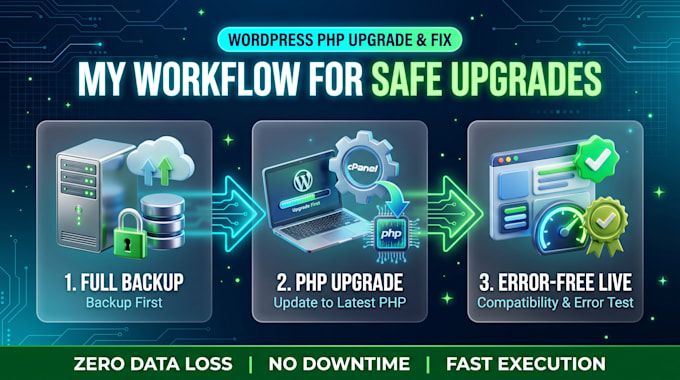
I will safely upgrade your WordPress PHP version without data loss and fix all compatibility bottlenecks.
What I Do:
Why Me?
Please send a message before placing an order so we can check your hosting setup and current WordPress version!
Let erop dat het tegen het beleid van Fiverr voor freelancers is om thema's, templates of andere elementen in het geleverde werk op te nemen die inbreuk maken op de rechten van derden of toepasselijke wetten. Lees er meer over in onze Gids voor verantwoorde digitale creatie.
Fixing slow WooCommerce stores and building smart automation
Talen
Will upgrading PHP break my live website or cause data loss?
No. I always create a full backup of your website files and database before making any changes. If any plugin or theme has an incompatibility issue, I test and fix it safely without risking data loss.
What information do you need to start the project?
I will need your WordPress admin login details and your hosting control panel (cPanel, Plesk, Cloudways, etc.) access to update the PHP version directly from the server.
Which PHP version should I upgrade to?
I typically recommend upgrading to PHP 8.1, 8.2, or 8.3 depending on your hosting environment and theme/plugin compatibility to ensure top performance and security.
What happens if an outdated plugin is incompatible with the new PHP version?
I will identify the conflicting plugin, resolve deprecated code errors, update it to the latest compatible version, or suggest the best alternative so your site continues to function smoothly.
Will upgrading the PHP version improve my website speed?
Yes, significantly. Modern PHP versions (such as PHP 8.1+) execute code much faster and consume less server memory, resulting in noticeable improvements in page loading time and backend responsiveness.