Door categorieën bladeren
Ontdekken
Fiverr Pro
Nederlands
$
USD
Verenigd Koninkrijk
Tech enthusiast passionate about empowering digital skills
With a BA in Mass Communications & Journalism and an MSc in Media Production, I bring 25 years of experience in desktop publishing and layout design.
I have 15 years of experience teaching digital skills at universities in the UK and am passionate about empowering people with digital independence. I have seen the transformative power of learning digital skills first-hand. I firmly believe that anyone can learn software with the right guidance and practice.
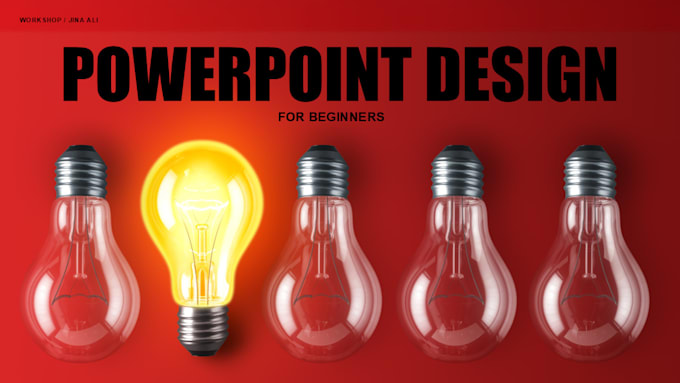
My tutorials are tailored for PowerPoint beginners. Whether you're aiming to create professional presentations for work, school, or personal projects, my sessions will equip you with the skills to design custom slides and infographics.
What I Offer:
What is Not Included:
Let's work together to get you started with PowerPoint! I am at your service, so feel free to place an order now.


Freelancers vragen om huiswerk/academisch werk voor je te maken is tegen Fiverr's Communitystandaarden en kan ertoe leiden dat je account wordt uitgeschakeld.
Can we work on my slides for a project in the tutorial?
No, the aim of my tutorials is to teach you how to use the design tools in PowerPoint so you can master designing your slides independently. We will focus on specific types of objects and exercises to achieve that. For redesigning a presentation, please see my PowerPoint design gigs.
Do I need access to PowerPoint for the lesson?
Yes, it is imperative to have PowerPoint installed on your device for the lesson to participate in the practical parts of the session.
Why does the package for the 1-hour tutorial indicate a four-day delivery time?
The four-day delivery timeframe allows us to coordinate and schedule the tutorial at a time that is convenient for you.
Which design and formatting tools will be covered in the sessions?
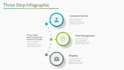
Subject to the chosen package, we'll cover the arrange tools, Insert/Formatting Shapes, Icons, Symbols, Images, and backgrounds and create a custom Infographic with these tools. We'll also discuss font choices (Serif vs San Serif).
Will your lesson cover how to present live with PowerPoint?
No, this tutorial focuses on designing in PowerPoint. If you are interested in also learning how to present with PowerPoint, please contact me.
What should I consider if I have a Chromebook instead of a Windows or Mac device?
A Chromebook uses an Android-based system, so you will be using the online app version of PowerPoint. This version has limited menu options compared to the full desktop versions available on Windows or Mac devices.
How do you deliver online tutorials?
I deliver my online tutorials using Zoom.