Door categorieën bladeren
Ontdekken
Fiverr Pro
Nederlands
$
USD



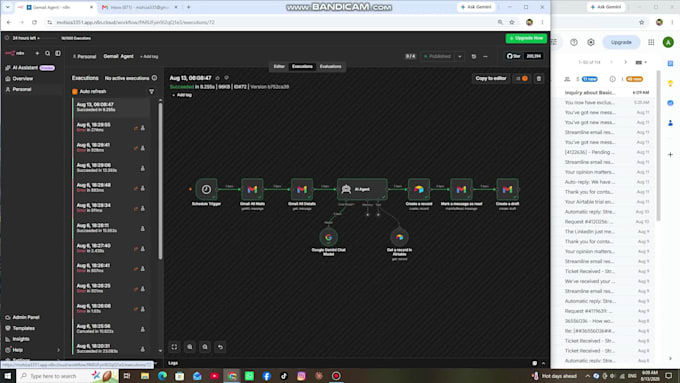
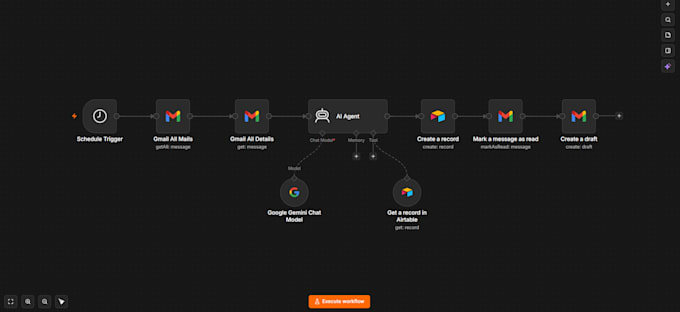
Are you struggling to keep up with customer support emails or repetitive business inquiries? I will build a custom n8n AI Email Agent that connects your Gmail Account, Google Gemini AI, and Airtable to automatically draft intelligent, highly accurate email replies.
Instead of sending automatic standard bots that might make mistakes, this workflow creates smart draft responses directly inside your Gmail Drafts folder. Your team simply reviews the AI-generated draft and clicks Send with a single click!
What This AI Email Agent Can Do:
How the Workflow Works:
AI Automation And Workflow Expert
Talen
How does the AI agent know how to answer my company's specific customer questions?
The n8n workflow connects to your business knowledge base (stored in Airtable, Google Sheets, or a document). The AI model uses this exact context to write tailored, highly accurate draft responses based on your business guidelines.
Will the AI send emails directly to clients without my permission?
No. To ensure complete safety and human control, the agent saves all generated responses in your Gmail Drafts folder. You or your team can review the draft, make quick tweaks if needed, and hit Send.
Do I need to provide my personal Gmail password?
Absolutely not. We connect your Gmail account securely using Google OAuth 2.0 Authorization or by importing the n8n JSON workflow file into your self-hosted/cloud n8n account.
What AI model is used for generating responses?
I primarily integrate Google Gemini AI for fast and high-quality responses, but I can also integrate OpenAI (ChatGPT) or other LLMs based on your preference.
What do I need to provide to get started?
You will need to provide a brief description of your business/FAQs, access to your n8n workspace (or I can deliver the JSON workflow file), and an active Gemini/OpenAI API key.