Door categorieën bladeren
Ontdekken
Fiverr Pro
Nederlands
$
USD
Full Stack and AI Developer: NextJS, NestJS, Laravel and AI Chatbots
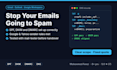
Are your emails landing in spam, or did Gmail and Yahoo start rejecting them? Since 2024 both require proper SPF, DKIM and DMARC for bulk senders, and missing or broken records are the most common reason business email goes to junk.
WHAT I DO
HOW IT WORKS
I can't promise a 100% inbox rate, because content and sending reputation also matter, but I make sure your authentication is set up correctly and tested.
Message me your domain first if you're unsure which package you need.

E-mailprovider:
Gmail
•
Microsoft Outlook
•
zoho
•
Mailchimp
•
Webmail
Expertise:
Beveiliging
•
Spam
•
Setup
•
Configuratie
Do I need to give you my email password?
No. I only need access to your DNS settings (your domain registrar or Cloudflare), ideally as a delegated user. If you prefer, I send you the exact records and guide you on a short call while you add them.
Will my email or website go down during setup?
No. I only add or edit TXT/CNAME records, so your email and website keep working. I also start DMARC in a safe monitoring mode before tightening it.
