Door categorieën bladeren
Ontdekken
Fiverr Pro
Nederlands
$
USD
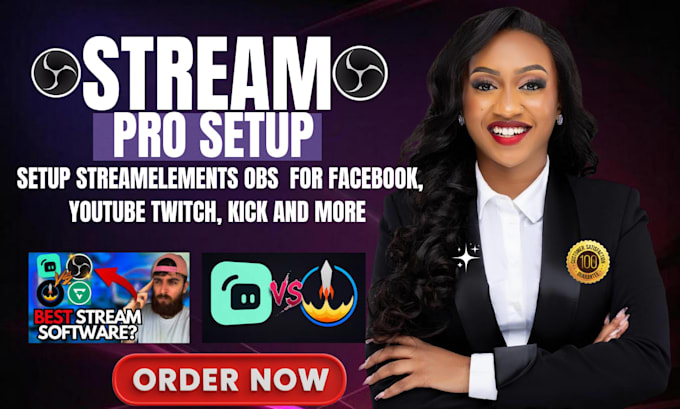
Streaming setup specialist OBS, StreamElements en TikTok Live expert
Heb je moeite met OBS Studio, Streamlabs of StreamElements en wil je een soepele, professionele streaming setup?
Je bent op de juiste plek.
Ik bied complete stream setup en optimalisatie voor Twitch, YouTube, Kick, TikTok Live en andere platforms. Of je nu helemaal opnieuw begint of een bestaande setup wilt verbeteren, jouw stream wordt geconfigureerd voor betere videokwaliteit, helder geluid, stabiele prestaties en een makkelijker workflow.
Mijn diensten omvatten:
* OBS Studio setup & optimalisatie
* Streamlabs configuratie
* StreamElements alerts & overlays
* Scene setup & organisatie
* Webcam & microfoon setup
* Audio routing & filters
* Stream Deck configuratie
* Multistream setup
* Bitrate, FPS & resolutie optimalisatie
* Lag, dropped frames & audio fixes
* Troubleshooting & testen
Waarom kies je voor mij?
* Duidelijke communicatie
* Professionele configuratie
* Net en georganiseerd setup
* Betrouwbare technische ondersteuning
* Setup op basis van jouw PC & apparatuur
Mijn doel is om je stream er professioneel uit te laten zien, helder te laten klinken, soepel te laten verlopen en makkelijk te bedienen wanneer je live gaat.
Neem vooraf contact met mij op voordat je bestelt, zodat ik je setup kan bekijken en het beste pakket kan aanbevelen.
Software:
OBS Studio
Platform:
•
Twitch
•
YouTube
•
Mixer
•
Kick
Doel:
Gaming
•
Muziek
•
Lifestyle
•
Zakelijk
•
Nieuws
•
Streamshare
•
Webinar
Automatische vertaling
1. Mijn stream hapert en frames worden dropouts. Kun je dat oplossen?
Ja. Stream lag en dropouts worden vaak veroorzaakt door verkeerde OBS-instellingen, bitrate-problemen, encoderconfiguratie, hardwarebeperkingen, netwerkinstellingen of slecht geoptimaliseerde scenes. Ik analyseer je setup en configureer OBS voor de beste balans tussen kwaliteit en prestaties op basis van jouw hardware.
2. Kun je helpen mijn microfoon en audiokwaliteit te verbeteren?
Absoluut. Slechte audiokwaliteit is een van de grootste redenen dat kijkers een stream verlaten. Ik kan filters instellen zoals noise suppression, noise gate, compressor en limiter, terwijl ik je audio levels optimaliseer. Ik help ook met audio routing en synchronisatie zodat je stem helder klinkt.
3. Moet ik OBS Studio al geïnstalleerd hebben voordat ik bestel?
Nee. Als OBS Studio nog niet geïnstalleerd is, help ik je met de installatie en configuratie vanaf nul. Of je nu helemaal nieuw bent met streamen of je bestaande setup wilt upgraden, ik begeleid je door het proces en zorg dat alles goed is ingesteld en klaar voor streaming, opnemen of content creatie.
4. Kun je stream overlays, alerts en scenes instellen?
Ja. Ik maak en organiseer professionele scenes, overlays, alerts en transitions om je stream aantrekkelijker en professioneler te maken. Of je nu al graphics hebt of hulp nodig hebt bij het integreren van bestaande assets, ik zorg dat alles correct is ingesteld en naadloos werkt binnen OBS Studio.
5. Welke streamingplatforms ondersteund u?
Ik ondersteun OBS Studio setups voor Twitch, YouTube, Kick, Facebook Live en de meeste platforms die met OBS werken. Ik kan ook instellingen configureren voor het opnemen van content, podcasts en andere workflows voor live streaming. Als je niet zeker weet of jouw platform wordt ondersteund, stuur me gerust een bericht.
6. Kun je helpen als OBS blijft crashen of niet goed werkt?
Ja. Ik kan veelvoorkomende OBS-problemen oplossen, zoals crashes, zwarte schermen, encoder overload, audio sync problemen, ontbrekende bronnen, stream disconnects en prestatieproblemen. Ik achterhaal de oorzaak en pas de juiste oplossingen toe om stabiliteit en prestaties te verbeteren.
7. Welke informatie heb je nodig om te beginnen?
Na het plaatsen van je bestelling heb ik details nodig over je streaming doelen, PC-specificaties, internetsnelheid, platform en wensen. Dit helpt me om OBS Studio te optimaliseren voor de beste prestaties, kwaliteit en algehele streaming ervaring.
