Door categorieën bladeren
Ontdekken
Fiverr Pro
Nederlands
$
USD
Ik zet GoXLR op voor professioneel streamen en kristalheldere audio
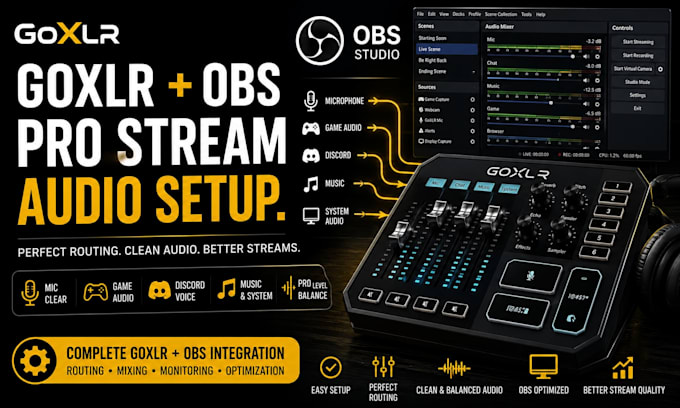
Ik zet je GoXLR + OBS audio systeem op en optimaliseer het zodat je microfoon, game audio, Discord, muziek, alerts en stream audio correct werken.
Ik kan audio routing, monitoring, microfooninstellingen, OBS bronnen en streaming audio niveaus configureren voor een schone en professionele uitzending.
Ondersteunde setups:
Laat je GoXLR en OBS goed samenwerken voor een heldere, betrouwbare streaming ervaring.
OPMERKING: STUUR ME ALSJEBLIEFT EERST EEN BERICHT VOORDAT JE BESTELT

Software:
OBS Studio
Doel:
Gaming
•
Muziek
•
Lifestyle
•
Zakelijk
•
Nieuws
•
Streamshare
•
Webinar
Automatische vertaling
Kun je mijn GoXLR instellen met OBS Studio?
Ja. Ik configureer je GoXLR en OBS Studio zodat je microfoon, game audio, Discord, muziek en andere bronnen correct worden gerouteerd voor streaming.
Ondersteun je GoXLR Mini?
Ja. Ik werk met zowel GoXLR als GoXLR Mini setups.
Kun je mijn microfoon configureren?
Ja. Ik configureer je microfoon via GoXLR en OBS, inclusief input selectie, niveaus, monitoring en basis verwerking.
Kun je game en Discord audio instellen?
Ja. Ik configureer je game audio, Discord/voice chat, muziek en systeem audio zodat elke bron correct wordt gerouteerd via je GoXLR en OBS.
