Door categorieën bladeren
Ontdekken
Fiverr Pro
Nederlands
$
USD

Level 1

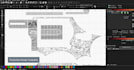
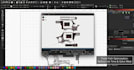

Technical Vector Optimization for EZCAD & LightBurn
Stop wasting expensive material on "broken" vector files. Most vector traces look fine to the eye, but they are a nightmare for a laser controller. If your hatch is leaking, your galvo is stuttering, or your laser is double-burning lines, your file isn't "Laser-Ready." I specialize in Technical Vector Audits. I dont just "auto-trace"; I manually repair and optimize the underlying geometry of your files for production-grade engraving.
My Optimization Workflow:
Perfect for: Automotive Parts, Firearm Engraving, Serialized VIN Plates, and Jewelry.
Note: I provide industrial-grade .DXF, .AI, and .SVG files compatible with EZCAD 2/3, LightBurn, and RDWorks.
Laat het de freelancer weten als je voorkeuren voor of zorgen hebt over het gebruik van AI-tools voor het voltooien en/of leveren van je bestelling.
professional graphic designer
Level 1
Talen
Why is my laser "stuttering" or "jumping" during the burn?
This is usually caused by "stray nodes" or microscopic line segments left over from a bad auto-trace. Even if you can’t see them, the laser controller tries to travel to those coordinates. I scrub the coordinate data to ensure the laser path is a continuous, fluid motion.
Can you fix "leaky" hatches where the fill goes outside the lines?
Yes. Hatch "leaks" happen because a vector path isn't technically closed (even if the ends look like they are touching). My workflow uses a node-level closure process that "welds" every path shut, ensuring your hatch stays exactly where it’s supposed to.
Will this stop my laser from "double-burning" the same line?
Absolutely. Double-burning happens due to "duplicate vectors" (lines stacked directly on top of each other). This wastes time and can warp thin metal. I perform a de-duplication pass on every file to ensure the laser only makes one pass per line.
What file formats will I receive?
You will receive production-ready .DXF, .AI, and .SVG files. These are the gold standard for importing into EZCAD 2/3, LightBurn, and RDWorks. If you need a specific legacy version (like AutoCAD R12 DXF), just let me know.
I have a blurry photo. Can you make it "Laser-Ready"?
Yes, but I don't just "hit the trace button." Low-res images require manual reconstruction to ensure the lines are clean enough for a galvo head. If your image is extremely complex, please message me first for a custom quote.
| (1) | ||
| (0) | ||
| (0) | ||
| (0) | ||
| (0) |

msaeedulhassan

Pakistan
Great Work!
US$ 50
Prijs
5 weken geleden
Looptijd

Reactie van de freelancer
| (1) | ||
| (0) | ||
| (0) | ||
| (0) | ||
| (0) |
msaeedulhassan
Pakistan
Great Work!
US$ 50
Prijs
5 weken geleden
Looptijd
Reactie van de freelancer


