Het lijkt erop dat deze dienst tijdelijk niet beschikbaar is
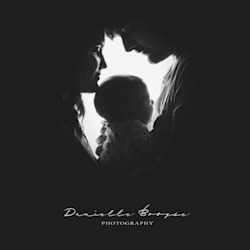
I will sell moody photo editing presets filters


Over deze dienst
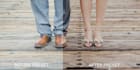
Set The Mood Presets was created by myself (Danielle Booyse).I created these presets for those who love the moody look and feel. With these presets you could get the look with just one click or adjust to your liking (bring up the exposure, add contrast, etc.)
The set contains of a total of 10 Presets for Lightroom & ACR Photoshop:
(5 Moody Colour Presets & 5 Black and White Colour Presets)
- Set The Mood 01 + B&W
- Set The Mood 02 + B&W
- Set The Mood 03 + B&W
- Set The Mood 04 + B&W
- Set The Mood 05 + B&W
To load these presets onto ACR in Photoshop, please do the following steps:
- Open the download and extract the .zip file.
- Copy the Adobe Camera Raw (ACR)Presets that you have just extracted (.XMP files)
- Search for the following destination on your pc C:\Users\YOUR NAME\AppData\Roaming\Adobe\CameraRaw\Settings
- Paste the presets there (not as a folder, but individually)
- Open Adobe Photoshop
- Click on Filter, Camera Raw Filter
- Click on the presets button (right top corner)
- The Adobe Camera Raw Presets (ACR Presets) -> Set The Mood - DB Presets will be there under the User Presets Menu.
(If you do not manage, I will send you a link to a video)
Voorkeur voor een leveringsstijl
Laat het de freelancer weten als je voorkeuren voor of zorgen hebt over het gebruik van AI-tools voor het voltooien en/of leveren van je bestelling.
Maak kennis met za_girl
The secret of getting ahead is getting started!
- Afkomstig uitZuid-Afrika
- Lid sindsjan 2016
Talen
Engels, Afrikaans
Veelgestelde vragen
Can these presets be used in Photoshop?
Yes, the absolutely can be used in Photoshop, but as one of the filters in Camera Raw in Photoshop.
Can these presets work in Lightroom?
Yes, they are .xmp files which can be uploaded to your preset folders in Adobe Lightroom. You just have to import them first.
Will this give my photos a moody look and effect?
Yes, these presets will give your photos a moody look and effect. If the preset is still a bit too light for you, please decrease your exposure a tad.
Do you have other presets aswell?
Yes I do, I am currently busy making a light and airy one at the moment.
Could you design me a preset to my needs?
Yes, with clear instructions I will be able to make presets for you to be able to make your editing process much easier and faster.
Is it a one click preset?
Yes, well it all depends... If you like the way it looks by just one click, then mission is accomplished. But if you would like to make the photo a bit darker or change to your liking, then you would have to make a few tweaks here and there... but only minor ones.